Buying your first Bitcoin can feel harder than it is. Charts move all the time, the words are new, and every exchange sets things up a little differently. Binance.US is one of the cheaper ways for Americans to buy Bitcoin, and once you know where things are, it takes only a few minutes.
This guide covers the whole process: whether you can use the platform in your state, setting up your account, picking a payment method, what fees to expect, and how to keep your coins safe afterward. The fees and state rules below are current as of September 2026.
What Is Binance.US?
Binance.US is the American arm of the Binance brand. It is run separately by BAM Trading Services and follows U.S. rules. It is not the same as the global Binance.com exchange, which people in the United States cannot use. Binance.US has fewer coins and features than the global site, but its low trading fees are the main reason people choose it.
The company has had a rough legal history. In May 2025, the SEC dropped its civil lawsuit against Binance, Binance.US, and founder Changpeng Zhao, and a judge dismissed it with prejudice. That removed a big source of doubt. Still, regulators in some states keep making their own decisions about the company, so it’s smart to keep up with the news before you put a lot of money on any exchange.
Can You Use Binance.US in Your State?
Check this first. Binance.US is not open everywhere in the country, and where you live decides what you can do on the platform. The help center list was last updated on June 3, 2026, and it puts states into three groups.
| Status | States and Regions | What It Means for You |
|---|---|---|
| Fully supported | Alabama, Arizona, Arkansas, California, Colorado, Delaware, D.C., Florida, Hawaii, Idaho, Illinois, Indiana, Iowa, Kentucky, Louisiana, Maryland, Massachusetts, Michigan, Minnesota, Mississippi, Missouri, Montana, Nebraska, Nevada, New Hampshire, New Jersey, New Mexico, Oklahoma, Pennsylvania, Puerto Rico, Rhode Island, South Carolina, South Dakota, Tennessee, Utah, Virginia, West Virginia, Wyoming | You can buy Bitcoin with dollars by bank transfer, card, or wire |
| Crypto-only | Kansas, Wisconsin | You can sign up, but you can’t deposit USD or link a bank. You fund the account with crypto instead |
| Not supported | Alaska, Connecticut, Georgia, Maine, New York, North Carolina, North Dakota, Ohio, Oregon, Texas, Vermont, Washington, plus several U.S. territories | You can’t register or verify an account |
If you live in a crypto-only state, you would have to buy Bitcoin somewhere else and send it to Binance.US. That usually makes sense only if you want the exchange’s trading features. If your state isn’t supported, pick another regulated U.S. exchange.
What You Need Before You Start
Gather these before you sign up so you can finish in one go:
- A valid email address and a phone number that can receive texts
- Your full legal name, date of birth, and home address
- Your Social Security number
- A government photo ID, such as a driver’s license or passport, if you want higher limits
- A U.S. bank account, debit card, or Apple Pay for funding
Basic verification needs your name, birth date, SSN, and address. Advanced verification adds a photo ID and a face scan, which raises your limits and opens more features.
Step-by-Step: How to Buy Bitcoin on Binance.US
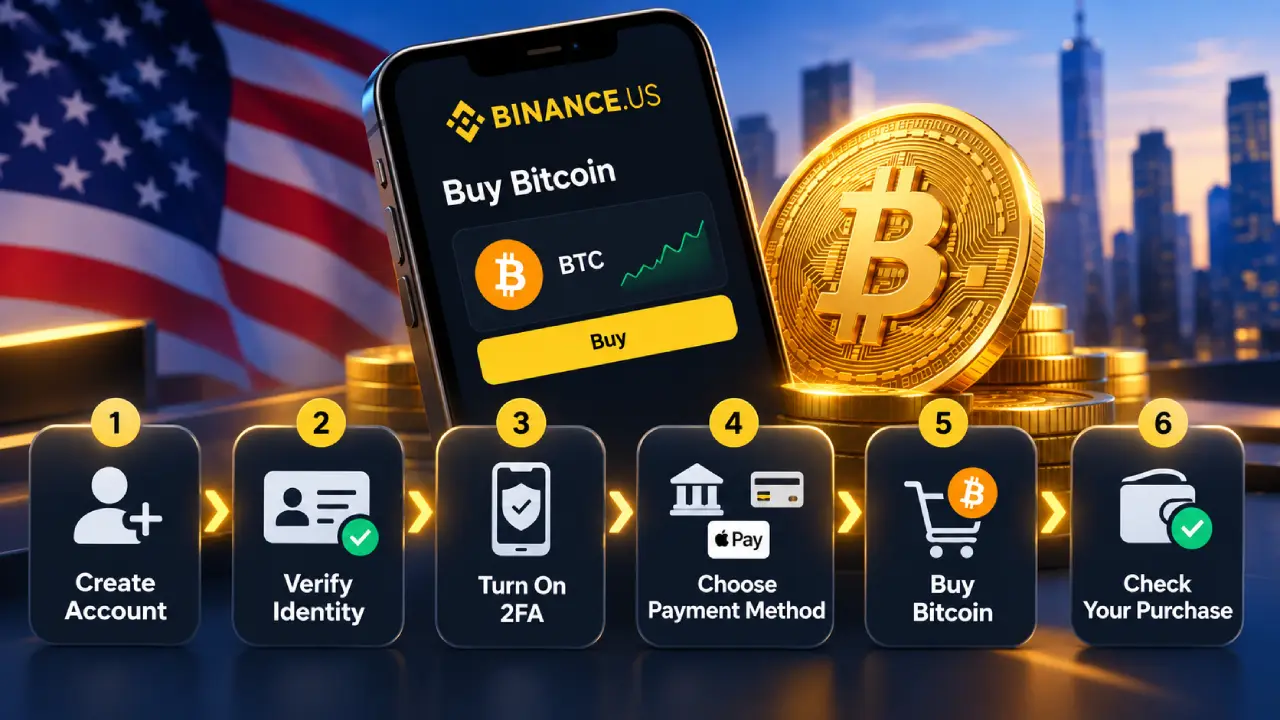
Step 1: Create Your Account
Download the Binance.US app from the App Store or Google Play, or go to binance.us in your browser. Tap “Get Started,” type in your email, and make a strong password you don’t use anywhere else. Binance.US will email you a confirmation code. Enter it, and your account is created.
Step 2: Verify Your Identity
U.S. law says exchanges must know who their customers are, so this step is required. Enter your personal details and SSN. If you choose the higher tier, the app will also ask you to photograph your ID and take a quick selfie.
Many people get verified in minutes, though it can take longer during busy times. Binance.US says it has made the verification messages clearer and that this cut onboarding failures sharply, so the process runs more smoothly than it used to.
Step 3: Turn On Two-Factor Authentication
Do this before you add any money. Two-factor authentication (2FA) means that even if someone gets your password, they still can’t get in without a code from your phone. An authenticator app like Google Authenticator or Authy is safer than text messages. While you’re in the security settings, also turn on the anti-phishing code and withdrawal address whitelisting.
Step 4: Choose How to Pay
Your payment method affects both how fast you can buy and how much you pay. Here are your options:
| Payment Method | Deposit Fee | Speed | Best For |
|---|---|---|---|
| ACH bank transfer | Free | Usually 1–5 business days to settle, though you can often trade sooner | Regular buyers who want the lowest cost |
| Debit card | 3.99% | Instant | Small, urgent buys |
| Apple Pay (linked debit card) | Same as card | Instant | Quick buys on iPhone |
| Domestic wire | Free from Binance.US (your bank may charge) | Often same day | Large purchases |
| Crypto deposit | Free | Depends on the network | Crypto-only states or moving coins from another wallet |
To link a bank account, go to your Wallet, tap “Deposit,” choose USD, and follow the prompts. Binance.US uses a secure connection service so you can log in with your bank details.
Step 5: Buy Your Bitcoin
Binance.US gives you two ways to buy, and they cost different amounts.
The simple way (Buy/Convert): Tap “Buy,” choose BTC, type in a dollar amount, pick a payment method, and confirm. It’s quick and made for beginners. The catch is that the price you see includes a spread. That’s a small markup built into the quote, and it can change with market conditions.
The cheaper way (Advanced Trading): Open the trading view and search for a pair such as BTC/USD or BTC/USDT. You can place a market order, which buys right away at the current price, or a limit order, which buys only when Bitcoin hits a price you choose. Advanced Trading charges clear, very low fees and no hidden spread.
If you’re buying more than a small amount, it’s worth taking ten minutes to learn Advanced Trading. It usually saves you money.
Step 6: Check Your Purchase
After your order goes through, the Bitcoin shows up in your Wallet under “Spot.” You can trade it right away. Note that if you paid by ACH, debit card, or Apple Pay, Binance.US holds the dollar value for seven days before you can withdraw it off the platform. This helps prevent fraud and is normal for new deposits.
Binance.US Fees Explained
Fees are a big part of why Binance.US is popular. Here is the current fee schedule:
| Fee Type | Cost |
|---|---|
| Advanced Trading (most pairs) | 0% maker / 0.02% taker |
| Advanced Trading (BNB/USD, Tier 0) | 0% maker / 0.01% taker |
| High-volume traders ($500M+ in 30 days) | 0% maker / 0.01% taker |
| Paying trading fees with BNB | 5% discount |
| Simple Buy/Convert | Spread built into the quoted price |
| Card purchases | 3.99% |
| ACH deposit and withdrawal | Free |
| Wire deposit | Free |
| Wire withdrawal | $25, plus any fee your bank charges |
| Crypto withdrawal | Changes with network conditions; shown before you confirm |
“Maker” means your order adds liquidity to the order book, like a limit order that waits to be filled. “Taker” means your order fills right away against existing orders. With a taker fee of 0.02%, a $1,000 Bitcoin buy through Advanced Trading costs you about 20 cents in trading fees.
Also know the difference between exchange fees and network fees. When you send Bitcoin off Binance.US, part of what you pay goes to the Bitcoin network’s miners, not to the exchange. That part goes up when the network is busy, so sending when it’s quieter can lower your cost.
Save Time With Auto-Buy
If you’d rather not guess the best time to buy, Auto-Buy lets you buy a set dollar amount of Bitcoin on a schedule. This approach is called dollar-cost averaging, and many long-term holders use it so they don’t have to follow the market every day.
| Setting | Options |
|---|---|
| How often | Daily, weekly, 1st and 15th of each month, or monthly |
| Payment sources | ACH, debit card, Apple Pay, or your USD balance |
| First order | Goes through right away |
| Cancelling | Anytime from the Auto-Buy menu |
To set it up, start a normal purchase, switch on the Auto-Buy toggle, pick how often, and confirm. Keep in mind that card-funded Auto-Buys still pay the card fee each time, so ACH is usually the better choice for recurring buys.
Where to Keep Your Bitcoin After You Buy
Leaving Bitcoin on an exchange is easy, but it means trusting that exchange with your money. Binance.US says it keeps most customer assets in offline storage. Even so, the crypto world has a saying: “not your keys, not your coins.”
| Storage Option | Control | Convenience | Good For |
|---|---|---|---|
| Keep it on Binance.US | Exchange holds the keys | Highest | Active traders, small amounts |
| Mobile software wallet | You hold the keys | High | Everyday use, medium amounts |
| Hardware wallet | You hold the keys, stored offline | Moderate | Long-term savings, large amounts |
To move your Bitcoin, go to Wallet, choose BTC, tap “Withdraw,” paste your wallet address, and check the network carefully before you confirm. Send a small test amount first. Crypto sent to the wrong address is almost always gone for good.
Pros and Cons of Buying Bitcoin on Binance.US
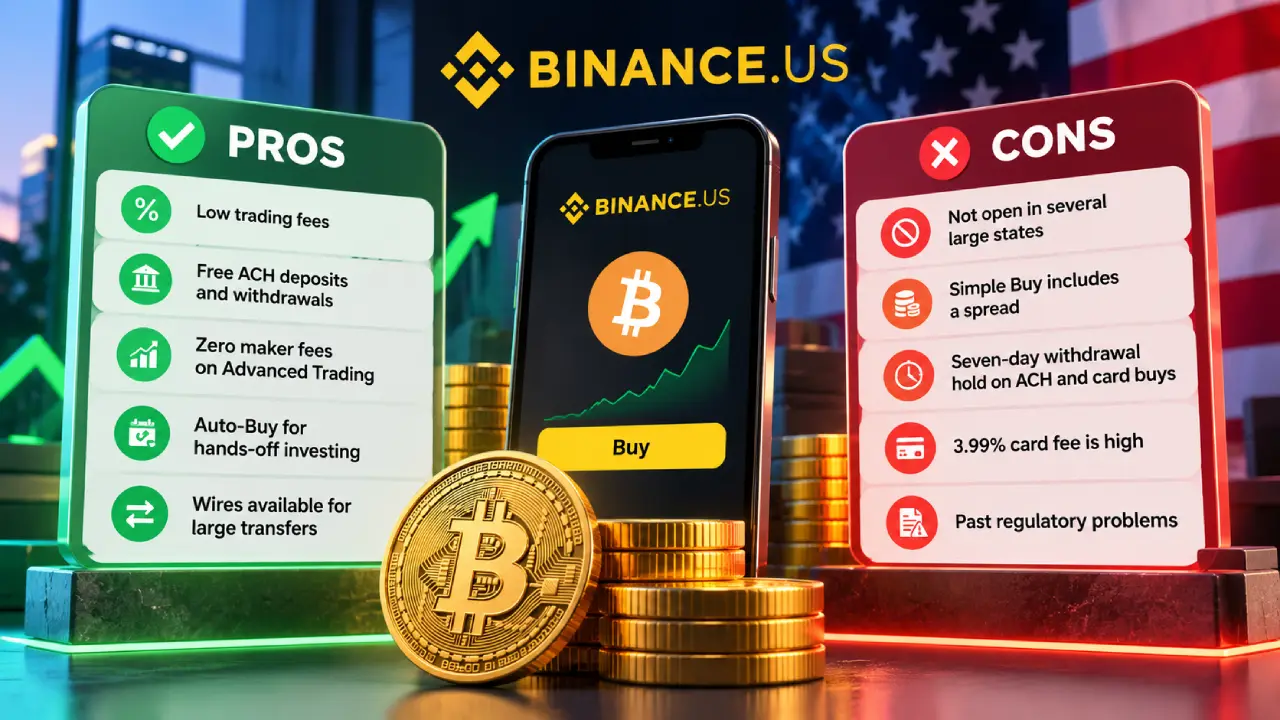
| Pros | Cons |
|---|---|
| Some of the lowest trading fees in the U.S. | Not open in several large states, including New York and Texas |
| Free ACH deposits and withdrawals | Simple Buy includes a spread that’s easy to miss |
| Zero maker fees on Advanced Trading | Seven-day withdrawal hold on ACH and card buys |
| Auto-Buy for hands-off investing | 3.99% card fee is high |
| Wires available again for large transfers | Past regulatory problems that still affect some states |
Tips for First-Time Bitcoin Buyers
Start small while you learn how the platform works. A $25 or $50 first purchase teaches you the steps without much risk. Only invest money you won’t need soon, because Bitcoin’s price can swing a lot in a single week.
Keep records of every purchase and sale. In the U.S., selling or trading crypto can be a taxable event, and Binance.US gives you transaction history you can download for your taxes. Finally, watch out for scams. Binance.US staff will never ask for your password or 2FA codes, and nobody legitimate will offer to “double” your Bitcoin.
Frequently Asked Questions
How much Bitcoin can I buy on Binance.US?
You don’t have to buy a whole Bitcoin. Bitcoin splits into tiny pieces, so you can buy a small dollar amount. Your maximum depends on your verification level and payment method.
Why can’t I withdraw my Bitcoin right away?
Buys made with ACH, a debit card, or Apple Pay have a seven-day hold before that value can leave the platform. You can still trade inside Binance.US during that time.
Is Binance.US the same as Binance?
No. Binance.US is a separate U.S. company with its own license, coins, and fees. Americans can’t use the global Binance.com site.
What is the cheapest way to buy Bitcoin on Binance.US?
Deposit money by ACH, which is free, and buy through Advanced Trading with a limit order. That way you pay no deposit fee, no spread, and the 0% maker rate.
What Players Should Take Away
Buying Bitcoin on Binance.US comes down to six steps: make sure your state is supported, create and verify your account, turn on 2FA, add money, buy, and choose where to store your coins. If you fund with ACH and use Advanced Trading, your costs stay among the lowest in the U.S. market. Start small, learn as you go, and move long-term savings to a wallet you control.
This article is for educational purposes only and is not financial advice. Cryptocurrency is volatile, and you should do your own research before investing.